> ## Documentation Index
> Fetch the complete documentation index at: https://langchain-5e9cc07a-preview-devupd-1765394015-eccef47.mintlify.site/llms.txt
> Use this file to discover all available pages before exploring further.
# Self-host LangSmith with Docker
Self-hosting LangSmith is an add-on to the Enterprise Plan designed for our largest, most security-conscious customers. See our [pricing page](https://www.langchain.com/pricing) for more detail, and [contact our sales team](https://www.langchain.com/contact-sales) if you want to get a license key to trial LangSmith in your environment.
This guide provides instructions for running the **LangSmith platform** locally using Docker for development and testing purposes.
**For development/testing only**. Do not use Docker Compose for production. For production deployments, use [Kubernetes](/langsmith/kubernetes).
This page describes how to install the base [LangSmith platform](/langsmith/self-hosted#langsmith) for local testing. It does **not** include deployment management features. For more details, review the [self-hosted options](/langsmith/self-hosted).
Note that Docker Compose is limited to local development environments only and does not extend support to container services such as AWS Elastic Container Service, Azure Container Instances, and Google Cloud Run.
## Prerequisites
1. Ensure Docker is installed and running on your system. You can verify this by running:
```bash theme={null}
docker info
```
If you don't see any server information in the output, make sure Docker is installed correctly and launch the Docker daemon.
1. Recommended: At least 4 vCPUs, 16GB Memory available on your machine.
* You may need to tune resource requests/limits for all of our different services based off of organization size/usage
2. Disk Space: LangSmith can potentially require a lot of disk space. Ensure you have enough disk space available.
2. LangSmith License Key
1. You can get this from your LangChain representative. [Contact our sales team](https://www.langchain.com/contact-sales) for more information.
3. Api Key Salt
1. This is a secret key that you can generate. It should be a random string of characters.
2. You can generate this using the following command:
```bash theme={null}
openssl rand -base64 32
```
4. Egress to `https://beacon.langchain.com` (if not running in offline mode)
1. LangSmith requires egress to `https://beacon.langchain.com` for license verification and usage reporting. This is required for LangSmith to function properly. You can find more information on egress requirements in the [Egress](/langsmith/self-host-egress) section.
5. Configuration
1. There are several configuration options that you can set in the `.env` file. You can find more information on the available configuration options in the [Configuration](/langsmith/self-host-scale) section.
## Running via Docker Compose
The following explains how to run the LangSmith using Docker Compose. This is the most flexible way to run LangSmith without Kubernetes. The default configuration for Docker Compose is intended for local testing only and not for instances where any services are exposed to the public internet. **In production, we highly recommend using a secured Kubernetes environment.**
### 1. Fetch the LangSmith `docker-compose.yml` file
You can find the `docker-compose.yml` file and related files in the LangSmith SDK repository here: [*LangSmith Docker Compose File*](https://github.com/langchain-ai/helm/blob/main/charts/langsmith/docker-compose/docker-compose.yaml)
Copy the `docker-compose.yml` file and all files in that directory from the LangSmith SDK to your project directory.
* Ensure that you copy the `users.xml` file as well.
### 2. Configure environment variables
1. Copy the `.env.example` file from the LangSmith SDK to your project directory and rename it to `.env`.
2. Configure the appropriate values in the `.env` file. You can find the available configuration options in the [Configuration](/langsmith/self-hosted) section.
You can also set these environment variables in the `docker-compose.yml` file directly or export them in your terminal. We recommend setting them in the `.env` file.
### 3. Start server
Start the LangSmith application by executing the following command in your terminal:
```bash theme={null}
docker-compose up
```
You can also run the server in the background by running:
```bash theme={null}
docker-compose up -d
```
### Validate your deployment:
1. Curl the exposed port of the `cli-langchain-frontend-1` container:
```bash theme={null}
curl localhost:1980/info{"version":"0.5.7","license_expiration_time":"2033-05-20T20:08:06","batch_ingest_config":{"scale_up_qsize_trigger":1000,"scale_up_nthreads_limit":16,"scale_down_nempty_trigger":4,"size_limit":100,"size_limit_bytes":20971520}}
```
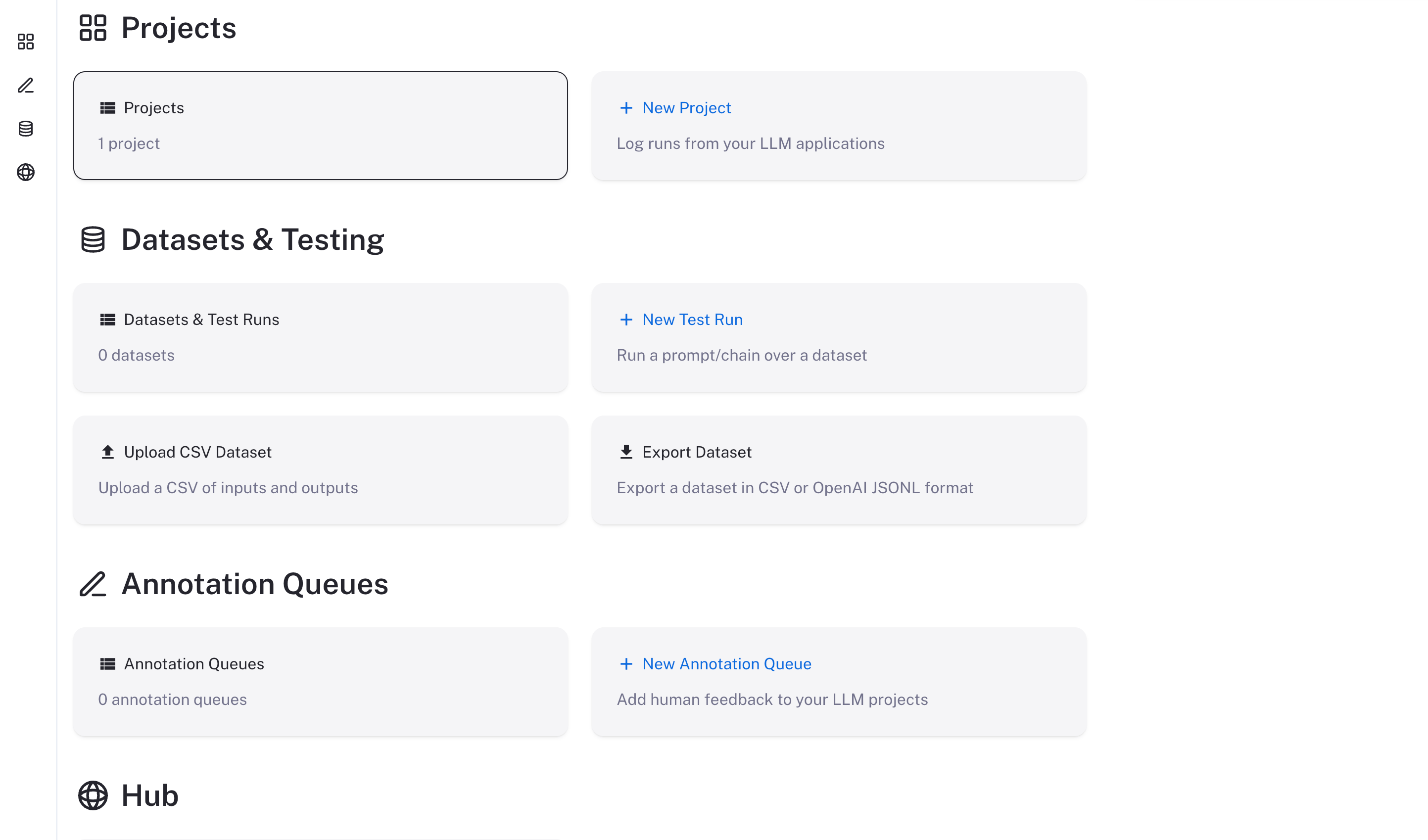
2. Visit the exposed port of the `cli-langchain-frontend-1` container on your browser
The LangSmith UI should be visible/operational at `http://localhost:1980`
 ### Checking the logs
If, at any point, you want to check if the server is running and see the logs, run
```bash theme={null}
docker-compose logs
```
### Stopping the server
```bash theme={null}
docker-compose down
```
## Using LangSmith
Now that LangSmith is running, you can start using it to trace your code. You can find more information on how to use self-hosted LangSmith in the [self-hosted usage guide](/langsmith/self-hosted).
Your LangSmith instance is now running but may not be fully setup yet.
If you used one of the basic configs, you may have deployed a no-auth configuration. In this state, there is no authentication or concept of user accounts nor API keys and traces can be submitted directly without an API key so long as the hostname is passed to the LangChain tracer/LangSmith SDK.
As a next step, it is strongly recommended you work with your infrastructure administrators to:
* Setup DNS for your LangSmith instance to enable easier access
* Configure SSL to ensure in-transit encryption of traces submitted to LangSmith
* Configure LangSmith for [oauth authentication](/langsmith/self-host-sso) or [basic authentication](/langsmith/self-host-basic-auth) to secure your LangSmith instance
* Secure access to your Docker environment to limit access to only the LangSmith frontend and API
* Connect LangSmith to secured Postgres and Redis instances
***
[Edit the source of this page on GitHub.](https://github.com/langchain-ai/docs/edit/main/src/langsmith/docker.mdx)
[Connect these docs programmatically](/use-these-docs) to Claude, VSCode, and more via MCP for real-time answers.
### Checking the logs
If, at any point, you want to check if the server is running and see the logs, run
```bash theme={null}
docker-compose logs
```
### Stopping the server
```bash theme={null}
docker-compose down
```
## Using LangSmith
Now that LangSmith is running, you can start using it to trace your code. You can find more information on how to use self-hosted LangSmith in the [self-hosted usage guide](/langsmith/self-hosted).
Your LangSmith instance is now running but may not be fully setup yet.
If you used one of the basic configs, you may have deployed a no-auth configuration. In this state, there is no authentication or concept of user accounts nor API keys and traces can be submitted directly without an API key so long as the hostname is passed to the LangChain tracer/LangSmith SDK.
As a next step, it is strongly recommended you work with your infrastructure administrators to:
* Setup DNS for your LangSmith instance to enable easier access
* Configure SSL to ensure in-transit encryption of traces submitted to LangSmith
* Configure LangSmith for [oauth authentication](/langsmith/self-host-sso) or [basic authentication](/langsmith/self-host-basic-auth) to secure your LangSmith instance
* Secure access to your Docker environment to limit access to only the LangSmith frontend and API
* Connect LangSmith to secured Postgres and Redis instances
***
[Edit the source of this page on GitHub.](https://github.com/langchain-ai/docs/edit/main/src/langsmith/docker.mdx)
[Connect these docs programmatically](/use-these-docs) to Claude, VSCode, and more via MCP for real-time answers.