> ## Documentation Index
> Fetch the complete documentation index at: https://langchain-5e9cc07a-preview-devupd-1765394015-eccef47.mintlify.site/llms.txt
> Use this file to discover all available pages before exploring further.
# How to compare experiment results
When you are iterating on your LLM application (such as changing the model or the prompt), you will want to compare the results of different [*experiments*](/langsmith/evaluation-concepts#experiment).
LangSmith supports a comparison view that lets you hone in on key differences, regressions, and improvements between different experiments.
## Open the comparison view
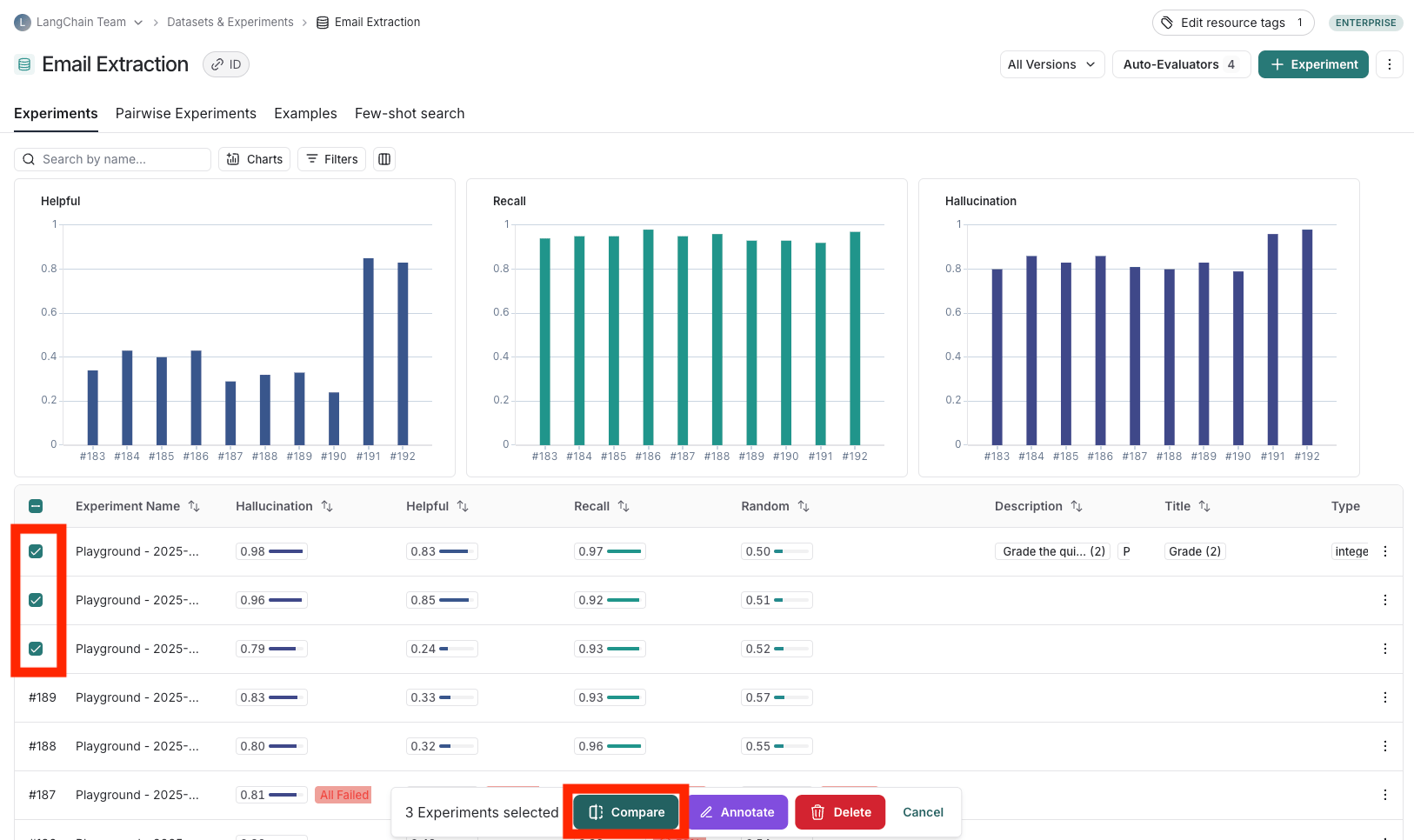
1. To access the experiment comaprison view, navigate to the **Datasets & Experiments** page.
2. Select a dataset, which will open the **Experiments** tab.
3. Select two or more experiments abd then click **Compare**.
 ## Adjust the table display
You can toggle between different views by clicking **Full** or **Compact** at the top of the **Comparing Experiments** page.
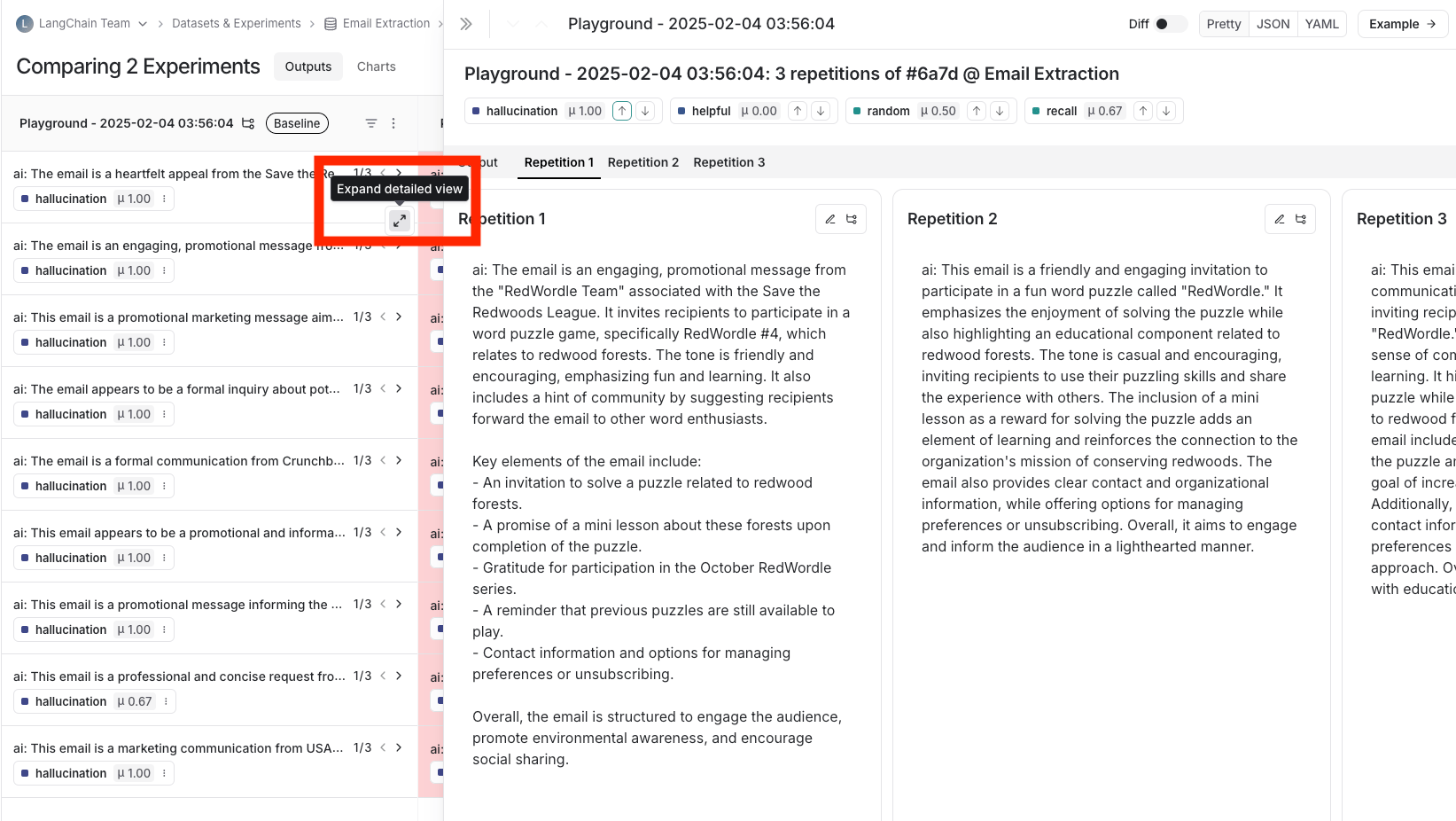
Toggling **Full** will show the full text of the input, output, and reference output for each run. If the reference output is too long to display in the table, you can click on **Expand detailed view** to view the full content.
You can also select and hide individual feedback keys or individual metrics in the **Display** settings dropdown to isolate the information you need in the comparison view.
## View regressions and improvements
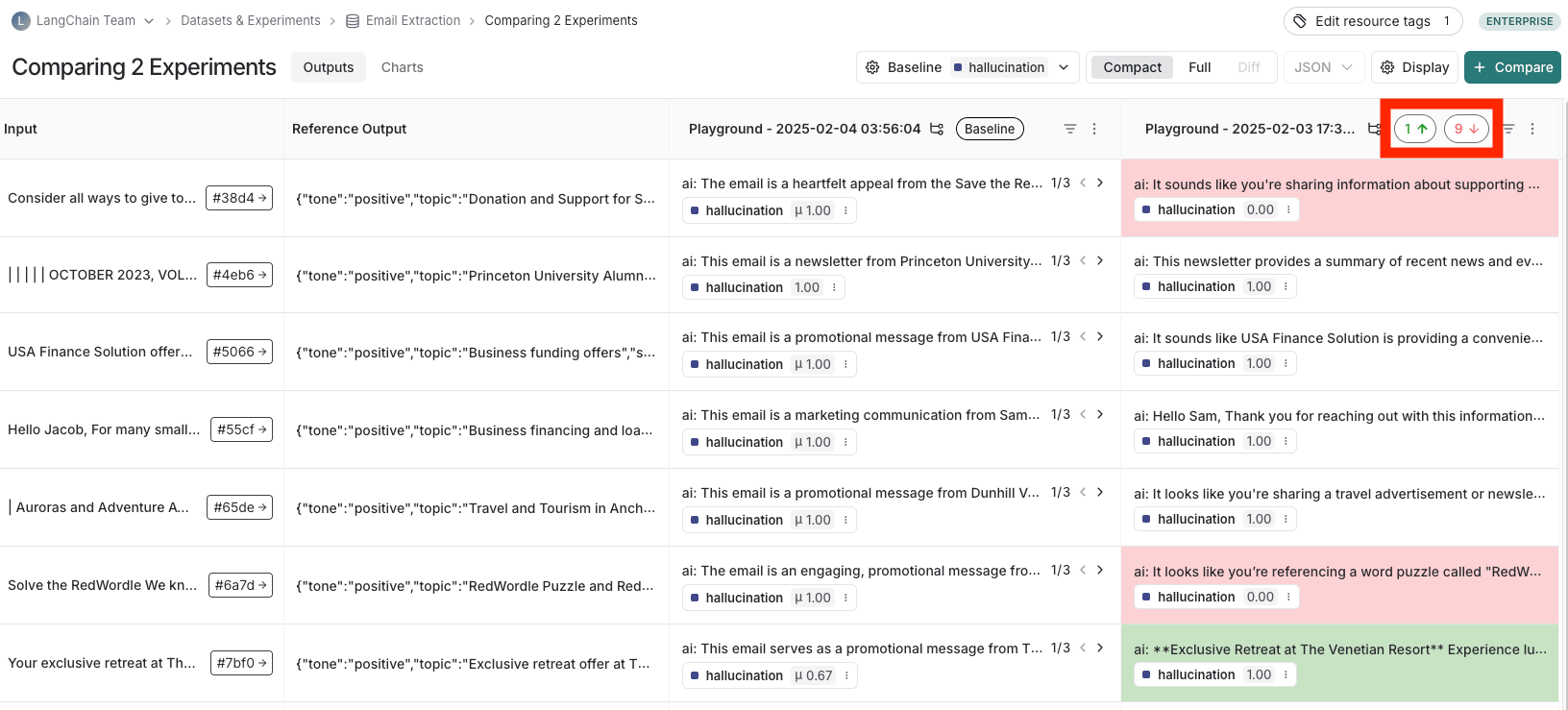
In the comparison view, runs that *regressed* on your specified feedback key against your baseline experiment will be highlighted in red, while runs that *improved* will be highlighted in green. At the top of each column, you can find how many runs in that experiment did better and how many did worse than your baseline experiment.
Click on the regressions or improvements buttons on the top of each column to filter to the runs that regressed or improved in that specific experiment.
## Adjust the table display
You can toggle between different views by clicking **Full** or **Compact** at the top of the **Comparing Experiments** page.
Toggling **Full** will show the full text of the input, output, and reference output for each run. If the reference output is too long to display in the table, you can click on **Expand detailed view** to view the full content.
You can also select and hide individual feedback keys or individual metrics in the **Display** settings dropdown to isolate the information you need in the comparison view.
## View regressions and improvements
In the comparison view, runs that *regressed* on your specified feedback key against your baseline experiment will be highlighted in red, while runs that *improved* will be highlighted in green. At the top of each column, you can find how many runs in that experiment did better and how many did worse than your baseline experiment.
Click on the regressions or improvements buttons on the top of each column to filter to the runs that regressed or improved in that specific experiment.
 ## Update baseline experiment and metric
In order to track regressions, you need to:
1. In the **Baseline** dropdown at the top of the comparison view, select a **Baseline experiment** against which to compare. By default, the newest experiment is selected as the baseline.
2. Select a **Feedback key** (evaluation metric) you want to focus compare against. One will be assigned by default, but you can adjust as needed.
3. Configure whether a higher score is better for the selected feedback key. This preference will be stored.
## Update baseline experiment and metric
In order to track regressions, you need to:
1. In the **Baseline** dropdown at the top of the comparison view, select a **Baseline experiment** against which to compare. By default, the newest experiment is selected as the baseline.
2. Select a **Feedback key** (evaluation metric) you want to focus compare against. One will be assigned by default, but you can adjust as needed.
3. Configure whether a higher score is better for the selected feedback key. This preference will be stored.
 ## Open a trace
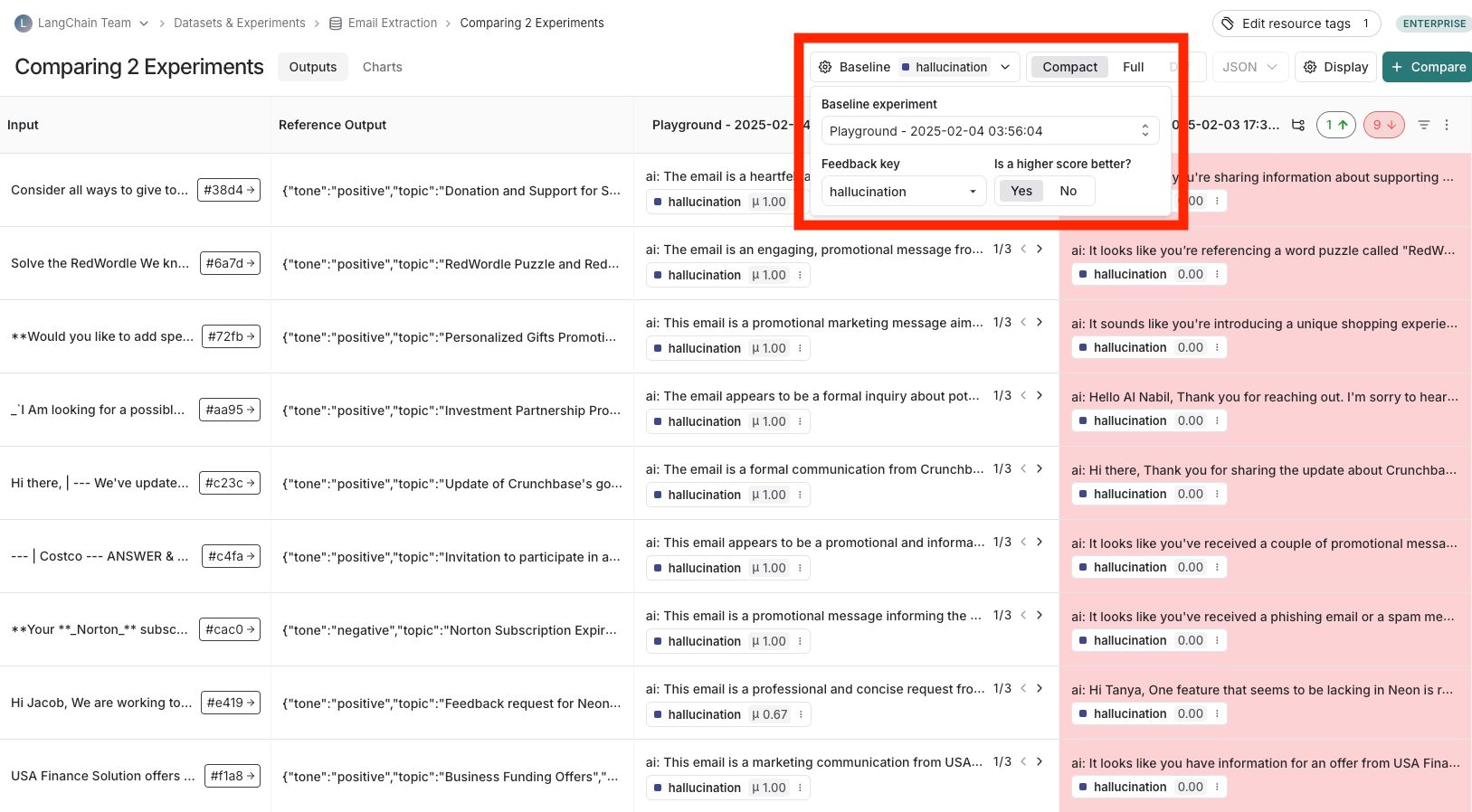
If the example you're evaluating is from an ingested [run](/langsmith/observability-concepts#runs), you can hover over the output cell and click on the trace icon to open the trace view for that run. This will open up a trace in the side panel.
## Open a trace
If the example you're evaluating is from an ingested [run](/langsmith/observability-concepts#runs), you can hover over the output cell and click on the trace icon to open the trace view for that run. This will open up a trace in the side panel.
 ## Expand detailed view
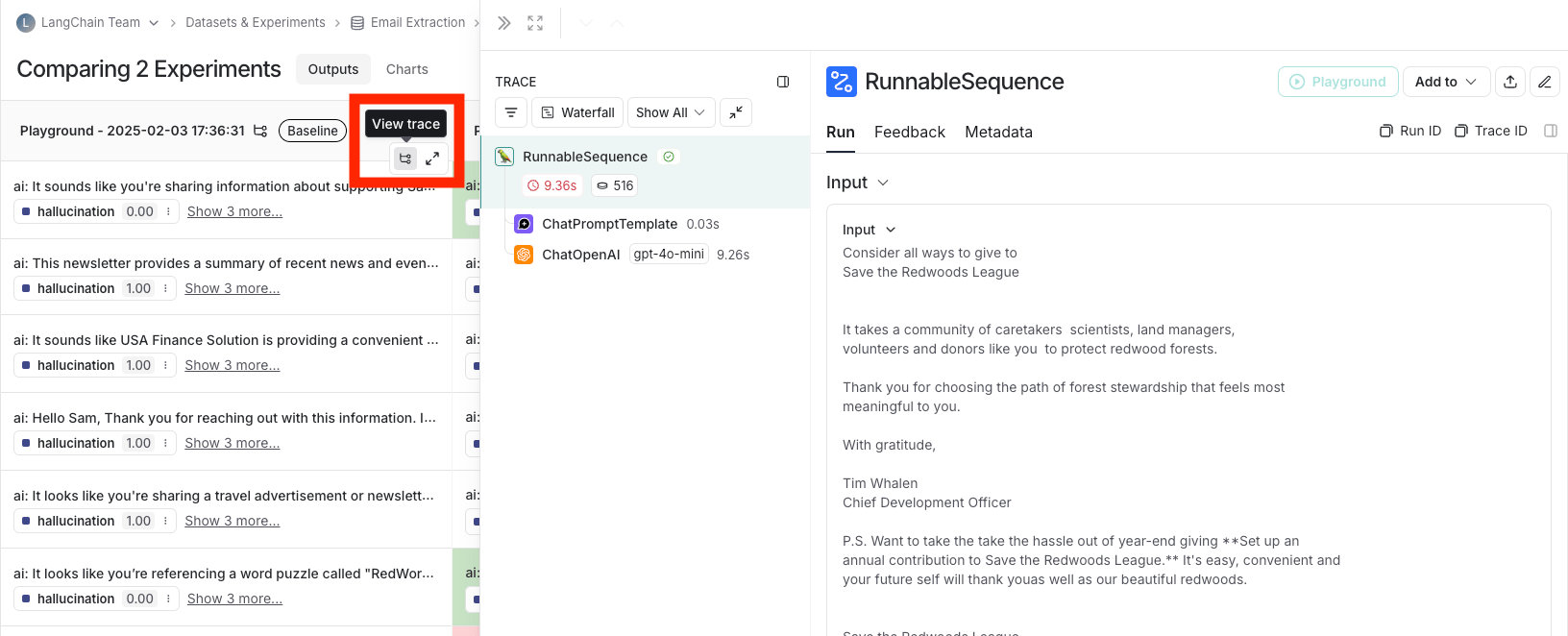
From any cell, you can click on the expand icon in the hover state to open up a detailed view of all experiment results on that particular example input, along with feedback keys and scores.
## Expand detailed view
From any cell, you can click on the expand icon in the hover state to open up a detailed view of all experiment results on that particular example input, along with feedback keys and scores.
 ## View summary charts
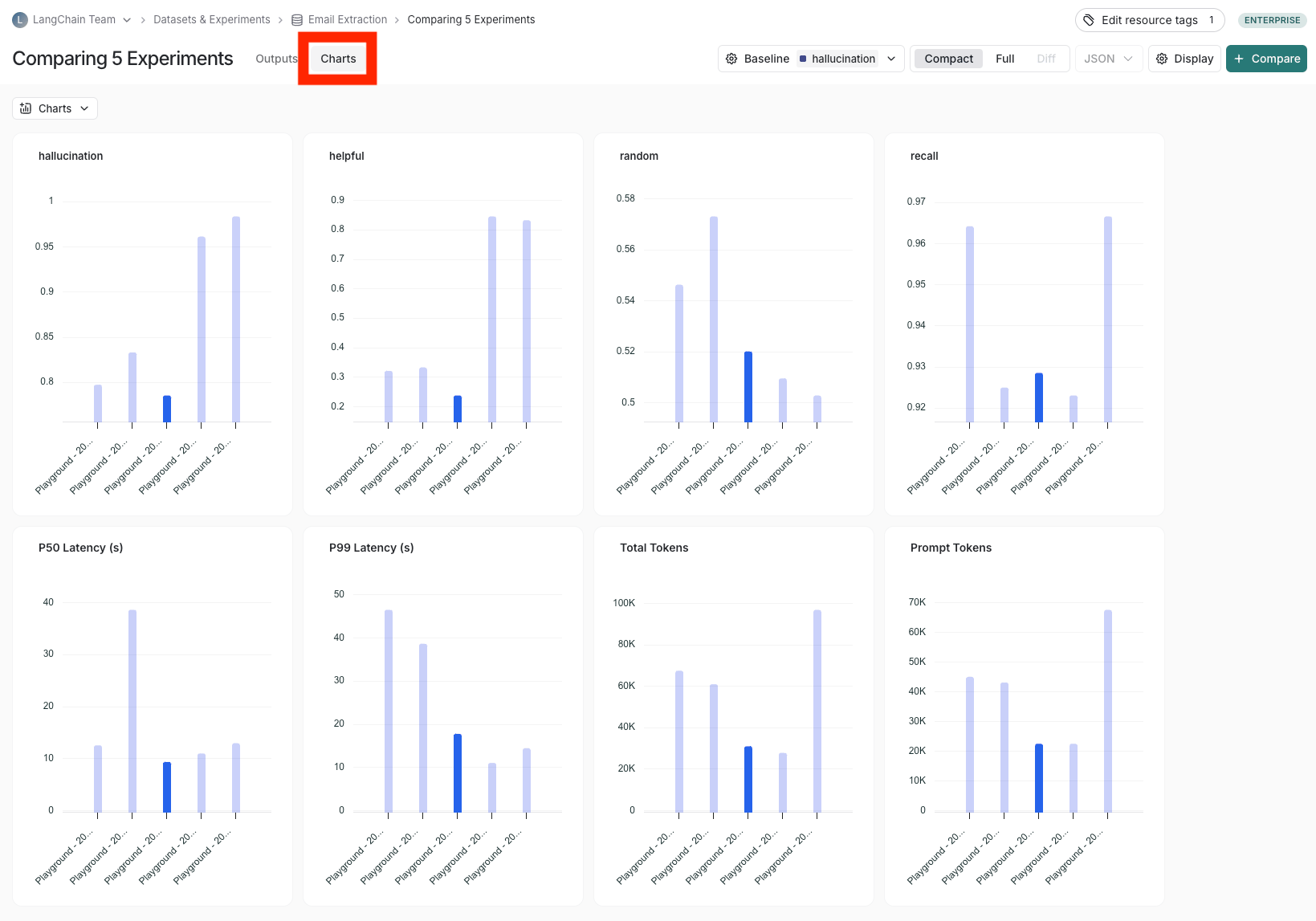
View summary charts by clicking on the **Charts** tab at the top of the page.
## View summary charts
View summary charts by clicking on the **Charts** tab at the top of the page.
 ## Use experiment metadata as chart labels
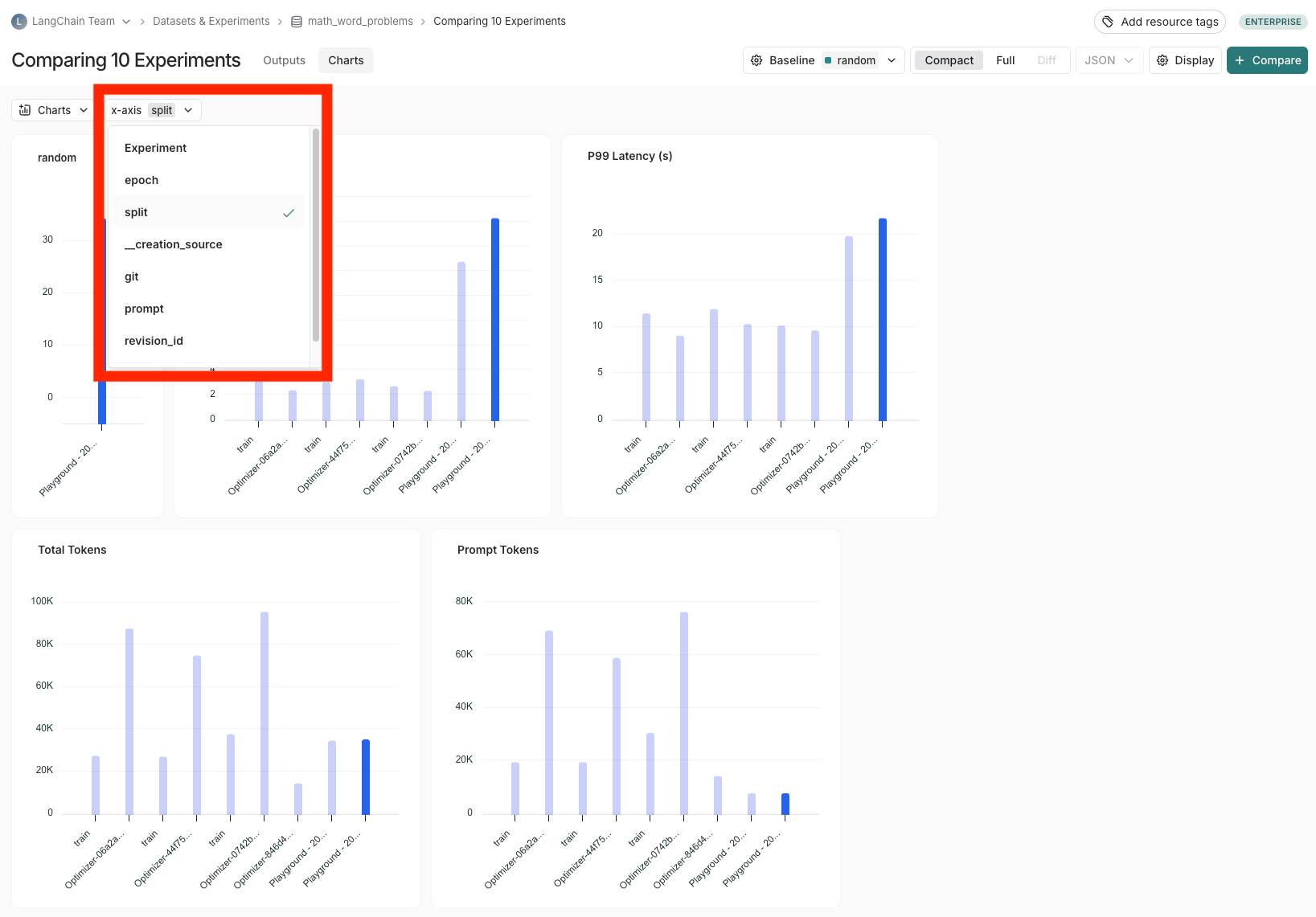
You can configure the x-axis labels for the charts based on [experiment metadata](/langsmith/filter-experiments-ui#background-add-metadata-to-your-experiments).
Select a metadata key in the **x-axis** dropdown to change the chart labels.
## Use experiment metadata as chart labels
You can configure the x-axis labels for the charts based on [experiment metadata](/langsmith/filter-experiments-ui#background-add-metadata-to-your-experiments).
Select a metadata key in the **x-axis** dropdown to change the chart labels.
 ***
[Edit the source of this page on GitHub.](https://github.com/langchain-ai/docs/edit/main/src/langsmith/compare-experiment-results.mdx)
[Connect these docs programmatically](/use-these-docs) to Claude, VSCode, and more via MCP for real-time answers.
***
[Edit the source of this page on GitHub.](https://github.com/langchain-ai/docs/edit/main/src/langsmith/compare-experiment-results.mdx)
[Connect these docs programmatically](/use-these-docs) to Claude, VSCode, and more via MCP for real-time answers.